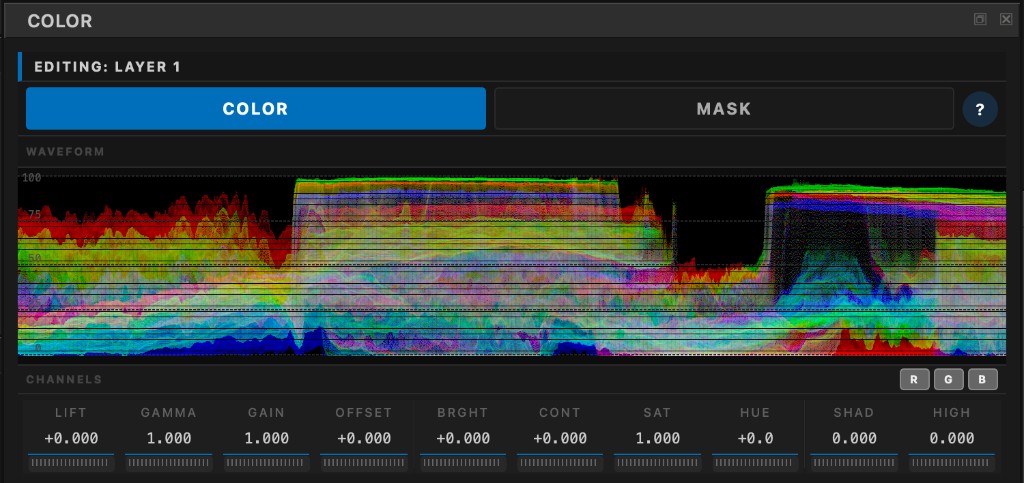
A full creative finishing surface — layers, primaries, look controls, tone curve, secondaries, and scopes — so AI and camera clips earn a real grade before they ever hit the timeline.
Stack like a suite: isolate a sky, protect a face, push a look — disable or reorder any layer without baking the shot.
The toolset is complete for finishing footage — balance, look, tonal shape, curve, secondary isolation, and monitoring in one place.
Tone curve and vectorscope live beside this dock — same layer, same undo stack.
Creative finishing, not a toy filter. When generators spit out clips that almost match — or a multi-cam day drifts — you need the same language a colourist expects: lift / gamma / gain, look controls, a real curve, secondaries that hold, and scopes that tell you the truth. Transduce puts that kit on every clip before export, so the timeline inherits footage that already carries intention.
Work non-destructively. Put balance on one layer, a warmer look on another, a skin qualifier on a third. Compare Active Layer views, dial opacity, undo freely. Hand a clean, editable-looking conform to Resolve or your suite of record when you want full DI tools — keyframing and LUT factories stay there by design.
Everything you reach for while building a look — organised the way finishing suites think.
| Surface | What you get | Creative use |
|---|---|---|
| Primaries | Lift · Gamma · Gain · Offset + RGB | Balance exposure and cast; master wheels plus per-channel for intentional colour |
| Look controls | Brightness · Contrast · Saturation · Hue | Push density, pivot contrast, vivify or mute, shift the palette |
| Tonal shaping | Shadow lift · Highlight rolloff · Blend | Open deep toes, tame bright skies, wet/dry mix the finish |
| Tone curve | Bezier control points | S-curves, soft roll-off, custom contrast without baking the stack |
| Secondaries | Qualifiers on any layer | Isolate skin, sky, product — analytical masks that stay stable frame to frame · Masking |
| Layer stack | Opacity · order · enable | Separate balance from look from local work — Layers |
| Monitoring | Waveform · Vectorscope | Watch blacks, mids, skin line while you grade · Waveform & Vectorscope |
| Scene helpers | Match · Auto Normalize | Pull siblings into the hero look as editable layers · Color Match |
A short creative path — same beats you’d use in any finishing bay, adapted to Transduce’s Scene workflow.
| Beat | What you do |
|---|---|
| 1 · Balance | Get exposure and white point honest with LGGO / Auto Normalize — primaries first, always |
| 2 · Look | Build intention on a new layer: contrast, sat, hue, tonal shape, curve |
| 3 · Isolate | Qualifier a skin or window layer when the global grade shouldn’t touch everything |
| 4 · Unify | Match siblings to the hero for Scene consistency, then fine-tune each Match layer |
| 5 · Confirm | Read waveform and vectorscope; export a finished-looking clip set into editorial |
Grading happens in ACEScg — the Academy’s published scene-linear working space — so balances, looks, and AI resize all operate in honest light. Enough said here: the colour science reference carries the matrices and measurements.
Build looks, isolate faces, unify the Scene, and hand editorial footage that already feels finished.